
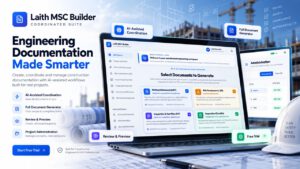
Preparing a professional construction Method Statement is rarely just about writing the sequence of work. Engineers must coordinate the execution methodology with project references, resources, QA/QC requirements, health and safety controls, the Risk Assessment or JSA, Inspection and Test Plan (ITP), Inspection Checklist, records, responsibilities, revisions, and final document status.
When these documents are prepared separately using disconnected Word files and old templates, inconsistencies can easily appear between them. An activity may exist in the Method Statement but be missing from the Risk Assessment. A critical inspection may appear in the ITP but not in the checklist. Responsibilities can also change from one document to another during revision.
Laith MSC Builder was developed to solve exactly this problem. It is a coordinated engineering documentation platform designed for construction professionals who need to prepare Method Statements, Risk Assessments / JSA, Inspection and Test Plans, and Inspection Checklists inside one connected workspace.
🚀 Laith MSC Builder Premium App Is Now Available for Free Trial
I am officially launching Laith MSC Builder as a premium engineering application, and engineers can currently access the platform through a free trial during the launch stage.
The objective is simple: allow engineers, QA/QC professionals, HSE teams, technical departments, contractors, consultants, and construction companies to test the complete coordinated-document workflow before moving to a paid subscription.
Table of Contents
What Is Laith MSC Builder?
Laith MSC Builder is a specialized construction documentation platform built around the way engineers actually prepare technical submissions. Instead of treating every construction document as an isolated file, the application organizes the project information once and provides a coordinated workspace for developing the associated technical documents.
The application can be used for civil, structural, infrastructure, architectural, mechanical, electrical, plumbing, and other construction activities where controlled technical documentation is required before or during execution.
The platform does not attempt to replace engineering judgment. Instead, it provides the engineer with a structured environment, document architecture, AI-assisted drafting tools, cross-document coordination, review functions, project storage, and engineering-specific controls that make it easier to prepare comprehensive documents without repeatedly rebuilding the same structure from scratch.
Effective stormwater pipe design is a cornerstone of modern civil engineering and urban infrastructure development. As urban landscapes become more densely packed with impervious surfaces like asphalt and concrete, the natural water cycle is disrupted, leading to increased surface runoff. Without a meticulously planned drainage system, this runoff can lead to localized flooding, structural damage to buildings, and significant erosion of soil and road sub-bases. For project managers and site engineers, understanding the nuances of hydraulic capacity and flow dynamics is not just a regulatory requirement but a professional necessity to ensure the longevity and safety of the built environment.
Find out more: Easy Stormwater Pipe Design: Laith Engineering Tools 2026
One Workspace for Four Coordinated Construction Documents
One of the most important differences between Laith MSC Builder and a generic AI writing tool is that the application is structured around a coordinated construction documentation package. From the initial dashboard, the user can select one document or generate a combination of the four primary documents required for many construction activities.
1. Method Statement (MST)
The Method Statement builder provides the technical execution framework of the activity. It allows the engineer to develop the sequence of work, project responsibilities, plant and equipment requirements, manpower, safety precautions, QA/QC requirements, emergency arrangements, and records within a structured document environment.
The objective is not simply to generate text. The Method Statement becomes the central execution document around which the related Risk Assessment, ITP, and Inspection Checklist can be coordinated.
2. Risk Assessment / Job Safety Analysis (JSA)
The integrated Risk Assessment / JSA generator converts work activities into a structured hazard-control framework. The application supports a 5×5 risk matrix, initial and residual risk evaluation, severity and likelihood assessment, control measures, and required PPE.
This makes the safety document directly relevant to the construction sequence rather than producing a generic collection of hazards unrelated to the actual Method Statement.
3. Inspection and Test Plan (ITP)
The ITP generator allows quality activities to be mapped against the construction process with inspection stages, acceptance criteria, governing references, required records, and intervention requirements.
The platform supports common intervention classifications including Hold (H), Witness (W), Review (R), and Surveillance (S), helping QA/QC teams prepare a structured inspection matrix that can be coordinated with the Method Statement.
4. Inspection Checklist
The Inspection Checklist builder converts inspection requirements into practical field-verification items. Individual inspection points can be structured around Pass, Fail, and Pending statuses together with acceptance requirements, required evidence, and defect disposition.
This helps bridge the gap between the technical document prepared in the office and the actual checks performed by engineers and inspectors on site.
AI-Assisted Cross-Document Coordination
The central concept behind Laith MSC Builder is cross-document coordination. Construction documentation becomes much more useful when the Method Statement, Risk Assessment, ITP, and Checklist describe the same activity from different professional perspectives while remaining connected to the same project scope.
For example, if an engineer defines excavation, shoring installation, dewatering, reinforcement, formwork, concrete pouring, testing, and backfilling as the major work stages, these same stages may need to appear differently across the related documents:
| Document | How the Activity Is Used |
|---|---|
| Method Statement | Defines how the activity will be executed. |
| Risk Assessment / JSA | Identifies hazards generated by the activity and the required controls. |
| ITP | Defines inspections, tests, acceptance criteria, records, and intervention points. |
| Inspection Checklist | Transforms requirements into practical field-verification items. |
This coordinated approach helps reduce one of the most common weaknesses in manually prepared document packages: each document being technically acceptable on its own while contradicting or omitting information found in the others.
Enter Project Information Once and Build Around It
The builder begins with the project and activity definition. Instead of repeatedly typing the same project information across four separate files, users establish the basic project context and then develop the required documents within the same workspace.
Depending on the project and activity, the engineer can define items such as the project title, activity description, project references, client and consultant requirements, location, applicable drawings, specifications, codes, resources, work sequence, quality requirements, and HSE considerations.
This creates a master project context that makes later drafting and coordination significantly easier.
Full Document Generator
Laith MSC Builder includes a dedicated Full Document Generator within the engineering workspace. Instead of requiring the user to populate every chapter manually, the generator can assist with developing a structured draft using the information already entered for the project and construction activity.
This is particularly useful when preparing a first working draft for a new activity. The engineer can then review, edit, expand, remove, or replace individual sections based on the actual project specification and construction methodology.
AI Whole-Page Draft
In addition to section-level assistance, the platform includes an AI Whole-Page Draft function. This feature is designed for situations where an engineer wants to develop or substantially expand an entire document chapter rather than requesting suggestions one field at a time.
The AI-generated output should always be considered an engineering draft rather than an automatic approval document. Project specifications, approved drawings, material submittals, equipment capacities, risk controls, testing requirements, and contractual obligations must still be verified by the responsible engineer.
Built-In AI Assistant
The builder also includes an integrated AI Assistant that can support the user while developing individual sections of the document. This allows engineers to request assistance without leaving the engineering workspace and moving continuously between external AI tools, Word documents, spreadsheets, and browser tabs.
The goal of the assistant is to accelerate technical drafting while keeping the final engineering decision in the hands of the document author.
Structured Workspace Chapters Instead of a Blank Document
A major weakness of traditional Word-based preparation is the blank-page problem: the quality of the final document depends heavily on whether the engineer remembers every required chapter. Laith MSC Builder replaces the blank document with an organized engineering workspace.
The current workspace includes dedicated areas for:
- Project & Activity – defines the core project information and the construction activity being documented.
- Full Document Generator – assists in developing the complete coordinated document structure.
- Governing References – organizes drawings, specifications, standards, codes, procedures, and other controlling documents.
- Construction Methodology – establishes the actual sequence and method of executing the works.
- Scope & Responsibilities – defines the work boundaries and responsibilities of the project team.
- Resources & Manpower – documents workforce, supervision, plant, tools, and equipment requirements.
- QA/QC & HSE Requirements – integrates quality and safety requirements with the technical methodology.
- Emergency & Records – addresses emergency arrangements and required project records.
- Risk Assessment / JSA – develops hazards, controls, initial risk, and residual risk.
- Inspection & Test Plan – establishes inspections, testing, records, acceptance criteria, and intervention points.
- Inspection Checklist – prepares practical field-verification requirements.
- Revisions & Signatures – organizes revision and approval information.
Edit, Split View, Preview and Review Modes
Technical document preparation is not only about generating content. Engineers need to inspect how the information will appear, compare different areas of the document, identify missing information, and review the final structure before issue.
For this reason, the Laith MSC Builder workspace includes dedicated Edit, Split View, Preview, and Review modes.
Edit Mode focuses on authoring. Split View supports working with document content while viewing related information. Preview helps the user inspect the developing document, while the Review workflow highlights items requiring attention before the document is finalized.
Smart Links & Duties
The Smart Links & Duties section provides another layer of coordination by helping organize relationships between project activities, responsibilities, and related document information.
This becomes increasingly valuable as technical submissions grow larger. A complex Method Statement may contain dozens of responsibilities distributed among the Project Manager, Construction Manager, Technical Manager, Site Engineer, QA/QC Engineer, HSE Engineer, Surveyor, Foreman, subcontractors, laboratory personnel, and third-party inspectors.
A structured responsibility environment helps the engineering team identify inconsistencies that are easily missed when responsibilities are manually copied across separate documents.
Registers & Tracking
The application also includes a dedicated Registers & Tracking area to support the controlled-document workflow surrounding the technical submission.
This is particularly useful for large construction projects where preparation of the document is only one stage of its lifecycle. Technical documents may also require internal review, consultant submission, comments, revision, approval, distribution, implementation, and subsequent updating when site conditions change.
Status & Download
The Status & Download workflow provides a central location for progressing the document toward completion and output instead of leaving document status scattered across emails, spreadsheets, and uncontrolled working files.
Because the platform operates around a project rather than a single temporary AI conversation, users can return to their stored work, continue developing it, complete the review process, and prepare the required output when the document is ready.
Saved Projects in Your Account
Laith MSC Builder allows users to save projects to their account instead of losing the working context after each session. Saved projects can be reopened and continued later, making the application suitable for real project documentation that may require multiple drafting and review sessions.
The dashboard provides direct access to existing projects together with actions such as Open Project, Duplicate, and Delete. Duplication can be especially useful when a contractor has similar activities across multiple buildings, zones, packages, or projects but still needs to customize the technical details for each location.
The account interface also displays the applicable project and storage quota based on the user’s active subscription plan.
Reference Templates and JSON Import
Not every project should start from a blank document. The application therefore supports a Load Reference Template workflow that allows engineers to begin from an existing structure and then adapt the content to the current activity.
An Import JSON option is also available, providing a structured way of bringing compatible project data into the platform. This can be valuable for standardized company workflows, repeat projects, backups, or future integration with external engineering systems.
Select Only the Documents You Need
Not every submission requires the same combination of documents. Laith MSC Builder allows the engineer to choose the required document set before opening the builder.
A user may prepare only a Method Statement, or select the Method Statement together with Risk Assessment, ITP, and Checklist to create a complete coordinated package. A Select All 4 Documents option accelerates preparation when the full package is required.
A Practical Example: Structural Concrete Works
Consider the preparation of documentation for reinforced concrete works. The construction engineer first defines the project, structural activity, drawings, concrete specification, approved materials, required equipment, access conditions, and work boundaries.
The Method Statement may then describe the execution sequence:
- Verify approved IFC drawings and latest reinforcement details.
- Confirm survey reference points, gridlines, and levels.
- Inspect reinforcement size, spacing, laps, couplers, cover blocks, and embedded items.
- Check formwork dimensions, stability, alignment, cleanliness, and release agent.
- Complete the required pre-pour inspection.
- Position pumps and establish safe access and exclusion zones.
- Receive concrete and perform the specified fresh-concrete testing.
- Place and compact concrete using the approved pouring sequence.
- Complete finishing and curing.
- Maintain inspection, testing, and concrete records.
The related Risk Assessment can then address hazards created by these same operations, including access, formwork failure, reinforcement impalement, concrete pump movement, pressurized pipelines, electrical equipment, working at height, manual handling, concrete exposure, and interaction between plant and personnel.
The ITP converts the activity into inspection and test requirements, while the Inspection Checklist transforms those requirements into site-level verification items. The value comes from treating the four documents as one coordinated technical package rather than four unrelated templates.

Risk Assessment with Initial and Residual Risk
A useful construction risk assessment must do more than list hazards. It should explain the activity, identify who may be affected, determine the initial level of risk, define appropriate controls, and then evaluate the residual risk remaining after those controls are implemented.
Laith MSC Builder supports this approach through its structured 5×5 risk matrix workflow. This allows safety controls to remain connected to real construction activities instead of appearing as generic HSE statements.
| Control Level | Construction Example |
|---|---|
| Elimination | Remove the hazard or eliminate the need to perform the hazardous operation. |
| Substitution | Replace the method, equipment, or material with a safer alternative where practicable. |
| Engineering Controls | Use barriers, guarding, edge protection, mechanical systems, or physical isolation. |
| Administrative Controls | Apply permits, procedures, training, supervision, signage, and controlled access. |
| PPE | Identify the appropriate personal protective equipment as part of the remaining controls. |
ITP Hold, Witness, Review and Surveillance Points
The Inspection and Test Plan module supports the intervention-point terminology widely used in construction quality management.
- Hold Point (H): Work cannot proceed beyond the defined stage until the required release or acceptance is obtained according to the project procedure.
- Witness Point (W): The designated party is given the opportunity to witness the inspection or test under the applicable project requirements.
- Review (R): Relevant documentation, certificates, reports, drawings, records, or test results are reviewed.
- Surveillance (S): The activity may be monitored or checked during execution.
The exact meaning and authority associated with each code should always be adjusted to the project’s approved quality plan and contractual procedures.
Governing References in One Dedicated Section
Technical documents become unreliable when the governing references are unclear or outdated. Laith MSC Builder therefore provides a dedicated Governing References chapter where users can organize the requirements controlling the work.
Depending on the project, these may include IFC drawings, approved shop drawings, technical specifications, project quality plans, HSE procedures, approved material submittals, manufacturer’s recommendations, construction codes, international standards, local regulations, and inspection requirements.
The platform interface also emphasizes engineering frameworks such as ISO 9001 quality management, ISO 45001 occupational health and safety, and construction design standards such as ACI 318. The responsible engineer must always confirm which edition and requirements actually govern the project.
Resources, Equipment and Manpower Planning
Construction methodology cannot be separated from the resources required to perform it. The builder includes a dedicated Resources & Manpower area so that the execution narrative can be connected to the actual project team and equipment.
Depending on the activity, this may include excavators, cranes, pumps, compactors, generators, surveying instruments, concrete equipment, lifting accessories, scaffolding, testing equipment, specialist subcontractors, supervisors, engineers, technicians, operators, skilled trades, and general workers.
Where applicable, the final document should also identify required operator competency, third-party certification, calibration status, equipment inspection, safe working loads, maintenance requirements, and pre-use checks.
QA/QC and HSE Requirements Inside the Same Technical Workflow
On many construction projects, the technical department prepares the Method Statement, QA/QC prepares the ITP, and the HSE team develops the Risk Assessment. When those files are developed separately, coordination depends heavily on manual review.
Laith MSC Builder brings these disciplines into one engineering workspace. This does not remove the responsibility of each department; it provides a common project structure that makes inconsistencies easier to identify and correct.
Emergency Requirements and Records
A strong Method Statement should consider what happens when the normal work sequence fails. For this reason, the builder includes a dedicated Emergency & Records section.
Depending on the activity, engineers may need to document emergency access, rescue arrangements, communication procedures, equipment breakdown response, spill response, first-aid arrangements, confined-space rescue, lifting emergencies, weather interruption, concrete supply failure, temporary works instability, or evacuation procedures.
The same section can be used to identify the records required to demonstrate that the work was executed and inspected in accordance with the approved procedure.
Revisions and Signatures
Construction documents rarely remain unchanged throughout a project. Design revisions, consultant comments, field conditions, material changes, revised work sequences, and lessons learned may require a document to be updated.
The Revisions & Signatures area keeps these document-control requirements visible inside the same workspace rather than treating them as an afterthought.
Account-Based Project Management
Laith MSC Builder is designed as an account-based application rather than a temporary online form. Users can save work to their account, reopen projects, maintain multiple project records, and operate according to the limits of their active subscription plan.
The interface clearly displays relevant plan information such as project limits, download usage, storage allocation, and other usage allowances so users can understand their current account capacity directly from the application.
Administration, Roles and Subscription Management
The platform also includes a dedicated administration environment for authorized administrators. This provides the foundation for managing user accounts and subscription plans as the application expands from individual engineers toward larger engineering teams and companies.
Administrative controls include the ability to review accounts, assign user roles and plans, check trial periods, monitor usage, verify AI Assistant status, edit account settings, and reset relevant usage allocations when required.
This architecture is particularly important for future company-level use where multiple engineers may require controlled access to the same engineering platform.
Why Not Simply Use ChatGPT or a Generic AI Writer?
General AI tools can be extremely useful for drafting individual paragraphs, explaining engineering concepts, or brainstorming technical content. The problem begins when a construction team needs to turn those isolated responses into a controlled multi-document submission.
Laith MSC Builder is different because the AI capability operates inside an engineering document structure. The platform already understands that a Method Statement requires methodology, responsibilities, resources, QA/QC, HSE, emergency arrangements, records, revisions, related inspections, risk controls, and associated field checklists.
| Capability | Generic AI Chat | Laith MSC Builder |
|---|---|---|
| Generate technical text | Yes | Yes |
| Construction-specific document architecture | Requires prompting | Built into the workspace |
| Method Statement workspace | No dedicated structure | Yes |
| Risk Assessment / JSA matrix | Requires manual setup | Integrated |
| ITP H/W/R/S workflow | Requires manual setup | Integrated |
| Inspection Checklist workflow | Requires manual setup | Integrated |
| Cross-document coordination | Manual | Core platform feature |
| Saved engineering projects | Not structured as construction projects | Yes |
| Split View / Preview / Review | No dedicated engineering workflow | Yes |
| Registers and tracking | Manual | Integrated workspace |
| Project/account quotas | Not applicable | Visible by subscription plan |
Manual Documentation vs. Laith MSC Builder
Traditional documentation is usually built around individual files. Engineers search for an old Method Statement, copy it, rename the project, replace sections, find another Risk Assessment, create an ITP in Excel, and then build a checklist separately.
This workflow can work, but it creates opportunities for outdated references, copied project names, mismatched activities, contradictory responsibilities, forgotten inspection stages, and revision problems.
Laith MSC Builder changes the working model from file-by-file preparation to project-based coordinated preparation.
| Traditional Workflow | Laith MSC Builder Workflow |
|---|---|
| Separate Word and Excel templates | Coordinated engineering workspace |
| Repeated project data entry | Shared project context |
| Manual coordination between documents | Cross-document coordination environment |
| Generic AI prompts where required | AI assistance inside structured engineering chapters |
| Files saved independently | Projects saved to user account |
| Manual checking before issue | Edit, Preview and Review workflows |
| Separate document registers | Registers & Tracking workspace |
Real-World Example: Deep Excavation and Dewatering
Consider a deep-basement excavation adjacent to an existing structure and active roadway. Preparing only an excavation Method Statement would not adequately describe the full engineering control system.
The coordinated package may require the Method Statement to define survey controls, utility clearance, temporary works, excavation stages, access ramps, hauling routes, dewatering, shoring installation, instrumentation, material disposal, and reinstatement.
The Risk Assessment may address collapse, plant interaction, unstable edges, groundwater, underground utilities, falling objects, access and egress, lifting, electrical hazards, dust, noise, and emergency rescue.
The ITP may include survey verification, temporary works inspection, shoring material approval, anchor or strut testing, excavation level checks, dewatering monitoring, instrumentation readings, and defined Hold or Witness Points.
The Inspection Checklist can then convert these requirements into practical site checks that inspectors can verify before allowing the work to proceed.
Real-World Example: Large Concrete Pour
For a major raft or large-volume structural concrete pour, the coordinated documentation may need to cover batching capacity, delivery planning, pump locations, backup equipment, placement sequence, construction joints, reinforcement inspection, embedded items, concrete temperature, sampling, testing, vibration, finishing, curing, thermal monitoring, access, lighting, and contingency arrangements.
The Risk Assessment can address the same operation from the safety perspective, while the ITP establishes inspection and testing requirements and the Checklist provides the practical pre-pour, during-pour, and post-pour verification items.
Who Is Laith MSC Builder Designed For?
The application can support professionals involved in technical construction documentation, including Technical Engineers, Technical Managers, Construction Engineers, Site Engineers, QA/QC Engineers, Quality Managers, HSE Engineers, Planning and Project Engineers, Project Managers, consultants, subcontractors, specialist contractors, and engineering companies.
It can be applied across civil works, structural works, infrastructure, roads, utilities, buildings, concrete works, earthworks, pipelines, mechanical installations, electrical works, plumbing, fire protection, testing and commissioning, and other activities where formal construction documentation is required.
Best Practices When Using AI-Generated Engineering Content
AI assistance can dramatically accelerate the drafting process, but engineering documentation must remain project-specific. Every generated section should therefore be checked against the actual construction drawings, specifications, approved material submittals, manufacturer’s instructions, temporary works requirements, local regulations, project quality plan, HSE procedures, and contractual requirements.
Particular attention should be given to numerical values such as dimensions, capacities, test frequencies, temperature limits, tolerances, lifting capacities, risk scores, inspection frequencies, concrete parameters, equipment restrictions, and code requirements. These should never be accepted merely because they were generated automatically.
How to Start Using Laith MSC Builder
- Open the Laith MSC Builder.
- Create or open a project.
- Select the required documents: Method Statement, Risk Assessment / JSA, ITP, Inspection Checklist, or all four.
- Define the project and construction activity.
- Add the governing project references.
- Develop or generate the construction methodology.
- Define responsibilities, resources, manpower, QA/QC and HSE requirements.
- Use AI suggestions or the Full Document Generator where appropriate.
- Develop and coordinate the Risk Assessment, ITP, and Checklist.
- Review Smart Links, duties, registers, revisions, and tracking information.
- Use Preview and Review modes to identify issues.
- Save the project to your account and prepare the final document output.
Try the Premium Laith MSC Builder for Free
Laith MSC Builder is being launched as a premium construction engineering application, but free trial access is currently available during the launch stage.
If you regularly prepare Method Statements, Risk Assessments, JSAs, Inspection and Test Plans, Inspection Checklists, QA/QC documentation, or technical construction submittals, this is an opportunity to test the complete coordinated workflow using a real project or activity.
Frequently Asked Questions
What documents can Laith MSC Builder create?
The platform currently focuses on four coordinated construction documents: Method Statement, Risk Assessment / JSA, Inspection and Test Plan (ITP), and Inspection Checklist. Users can select individual documents or work with the complete four-document package.
Is Laith MSC Builder an AI Method Statement generator?
Yes, the application includes AI-assisted drafting and document-generation capabilities, but it goes beyond a standalone Method Statement generator. It provides a structured engineering environment for coordinating the Method Statement with Risk Assessment, ITP, Checklist, responsibilities, references, records, revisions, and other project information.
Can Laith MSC Builder generate a Risk Assessment or JSA?
Yes. The Risk Assessment / JSA module supports structured hazard identification together with a 5×5 risk matrix, initial and residual risk evaluation, control measures, and PPE requirements.
Does the application support ITP Hold and Witness Points?
Yes. The ITP workflow supports common inspection intervention classifications including Hold, Witness, Review, and Surveillance together with acceptance criteria and related inspection requirements.
Can projects be saved and reopened later?
Yes. Projects can be saved to the user’s account and reopened later. The project dashboard also provides project-management functions such as opening, duplicating, and deleting saved projects.
Can I import existing project data?
The application includes an Import JSON function together with a Reference Template workflow, providing additional options for starting from structured existing data rather than always beginning from a blank project.
Does the builder include an AI Assistant?
Yes. AI assistance is integrated into the engineering workspace, together with features such as the Full Document Generator and AI Whole-Page Draft.
Does AI replace the engineer responsible for the document?
No. Laith MSC Builder accelerates drafting, organization, coordination, and review. The responsible engineer must still verify all generated information against the actual project drawings, specifications, approved materials, governing codes, equipment requirements, site conditions, quality procedures, and HSE requirements before issue.
Is Laith MSC Builder free?
Laith MSC Builder is being developed as a premium engineering platform. However, free trial access is currently available during the launch stage, allowing construction professionals to test the application and its coordinated document workflow.
Where can I try Laith MSC Builder?
You can access the application directly from Laith MSC Builder on Method-Statement.com.
Final Thoughts
Construction documentation should not be reduced to copying old Word templates and changing the project name. A professional technical submission is a coordinated engineering system connecting the actual work methodology with safety controls, quality inspections, responsibilities, resources, governing references, field verification, document records, and revision control.
Laith MSC Builder was created around that concept. Its combination of structured engineering chapters, Method Statement generation, 5×5 Risk Assessment / JSA workflows, H/W/R/S-based ITP preparation, Inspection Checklists, AI-assisted drafting, Full Document Generator, AI Whole-Page Draft, Smart Links & Duties, Registers & Tracking, project storage, Preview and Review workflows, reference templates, JSON import, and cross-document coordination provides a much more complete environment than preparing each construction document independently.
The premium platform is now open for free trial access. Engineers can use the launch period to build a real construction activity, test the coordinated four-document workflow, and evaluate how the system fits their own technical, QA/QC, HSE, or project-management processes.